Looking for an AutoPod download for Premiere Pro or DaVinci Resolve? This guide shows the only safe way to get it: the official site, the 30-day free trial and the real installer. I walked through each screen so you can follow along with annotated screenshots.
Quick answer: Go to autopod.fm, click Start a free trial, and complete the Lemon Squeezy checkout ($0 today, 30-day trial, then $29/month). Run the installer you receive, reopen Premiere Pro 2023 or newer, and open AutoPod from Window > Extensions. In DaVinci Resolve, open it from Workspaces > Scripts. Ready? start the free trial.
Is there a free AutoPod download?
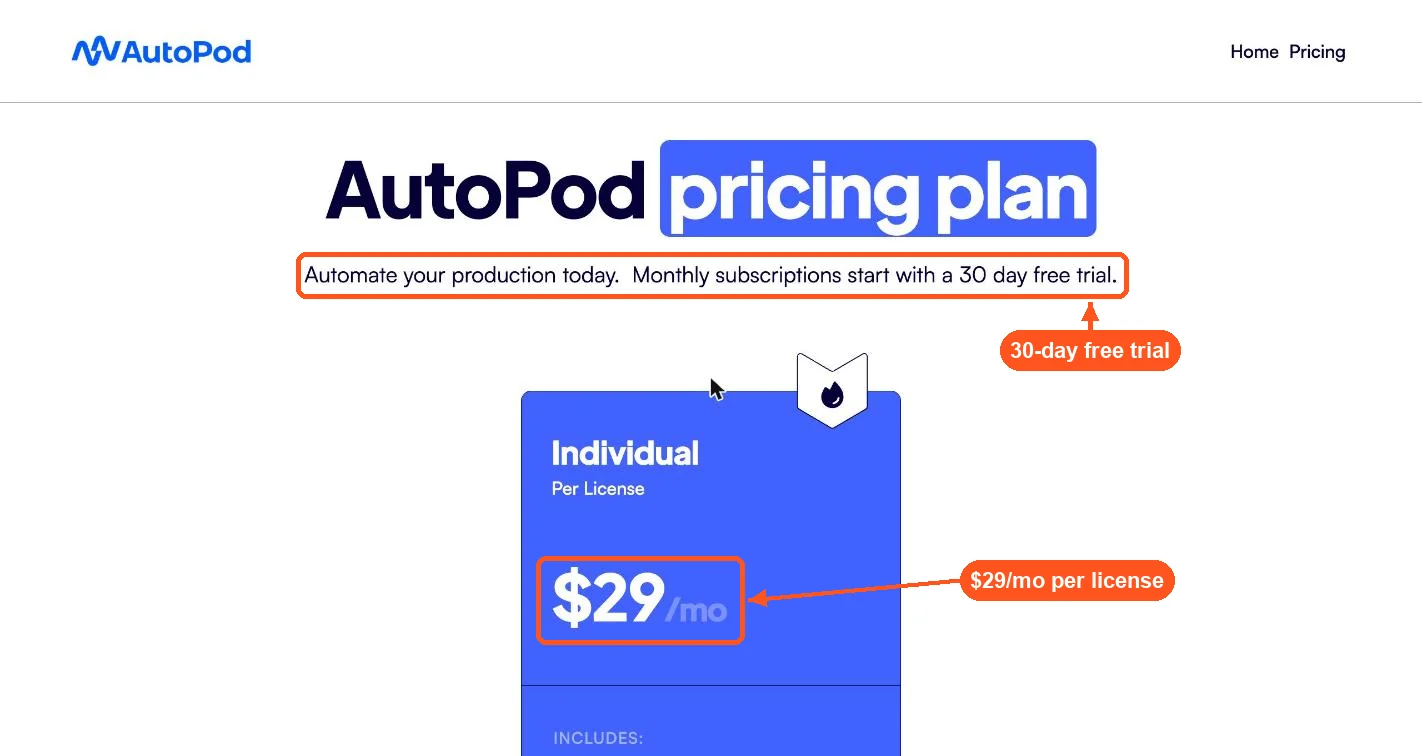
Not a free version, but you can use the full plugin free for 30 days. AutoPod’s monthly plan starts with a 30-day free trial, and the checkout shows $0 today. After the trial it’s $29/month per license, or you can cancel before it ends. You do need to add a card to start the trial.
AutoPod system requirements
| Requirement | |
|---|---|
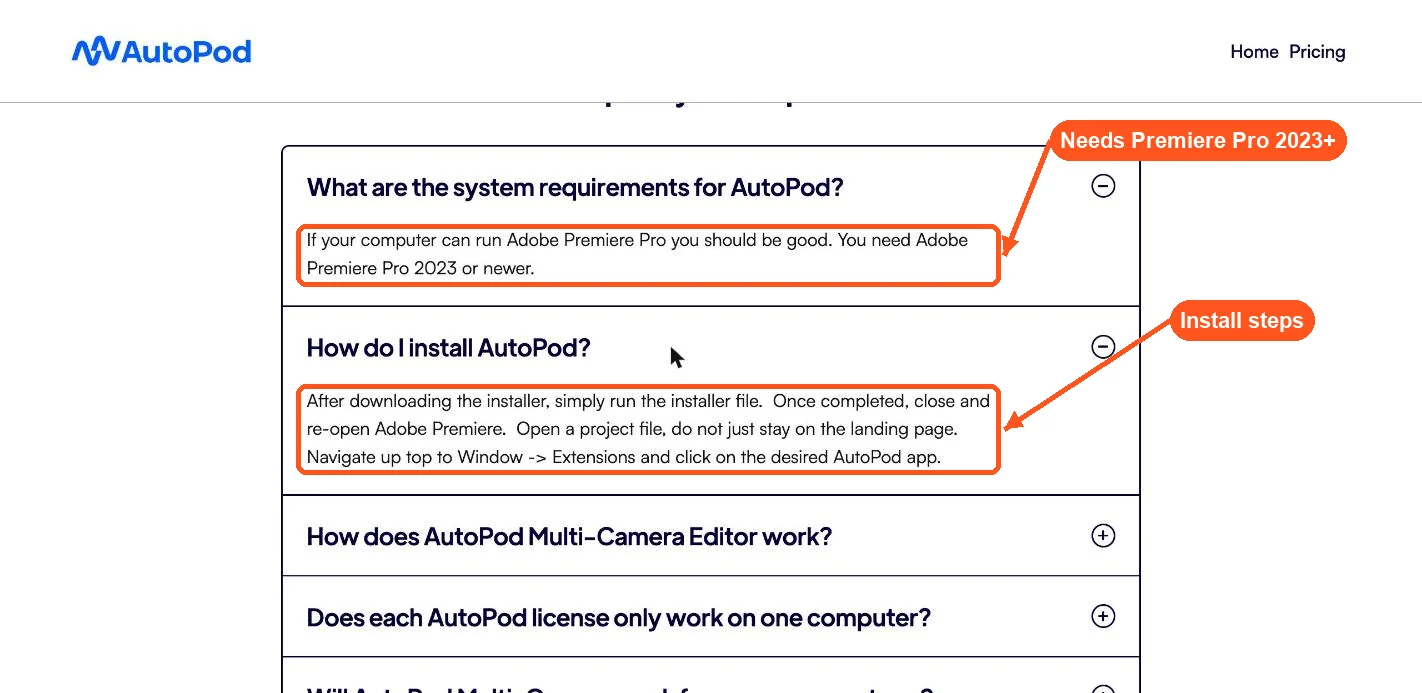
| Premiere Pro | Adobe Premiere Pro 2023 or newer |
| DaVinci Resolve | Any version of Resolve Studio; the free Resolve only up to 19.0.3 |
| Operating system | Mac and Windows installers (macOS 27+ needs the latest installer) |
| License | One computer per license |
| Multicam editing | Multiple cameras and a separate audio track per speaker (up to 10 speakers) |
| Not supported | Final Cut Pro, Avid and other editors |
How to download and install AutoPod for Premiere Pro
Step 1: Start the free trial on the official site
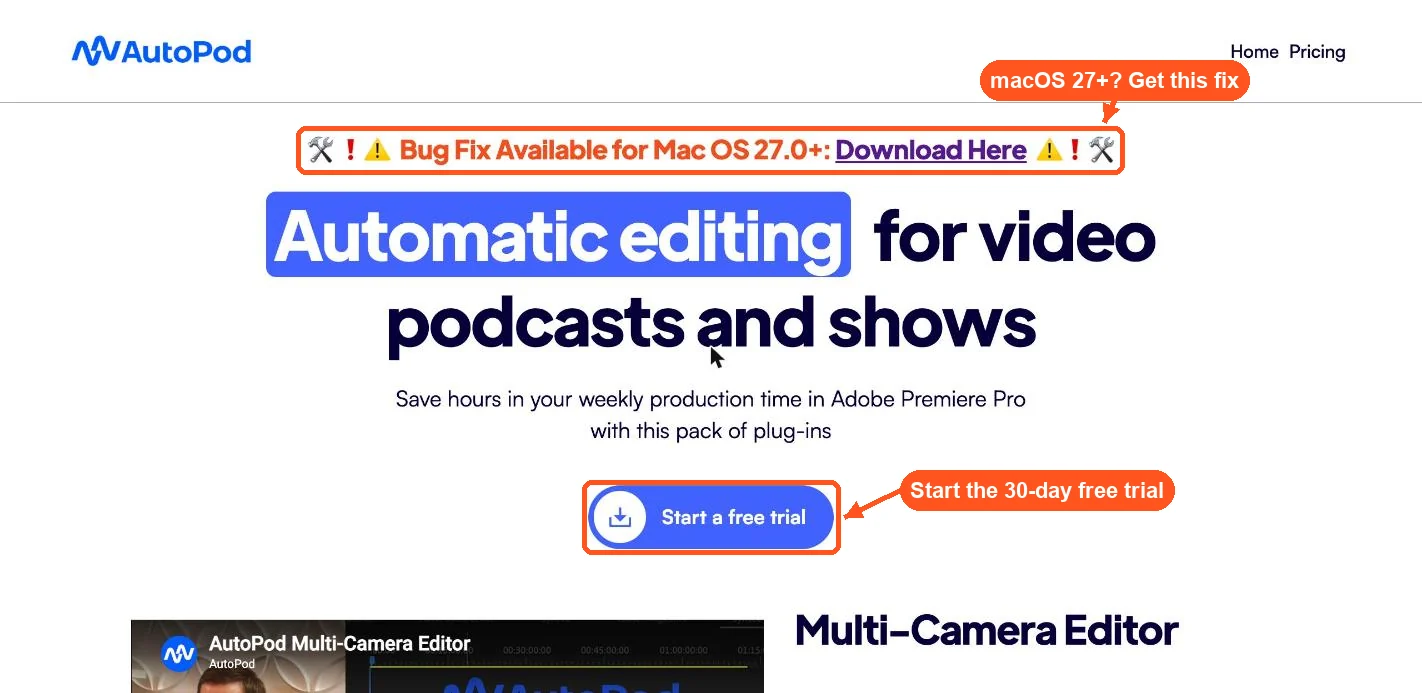
Open autopod.fm and click Start a free trial. Only download AutoPod from this site, or start the free trial directly.
Step 2: Complete the checkout ($0 today)
Checkout is handled by Lemon Squeezy, AutoPod’s payment provider. Enter your email, add a card (or Cash App Pay), and fill in your billing address.
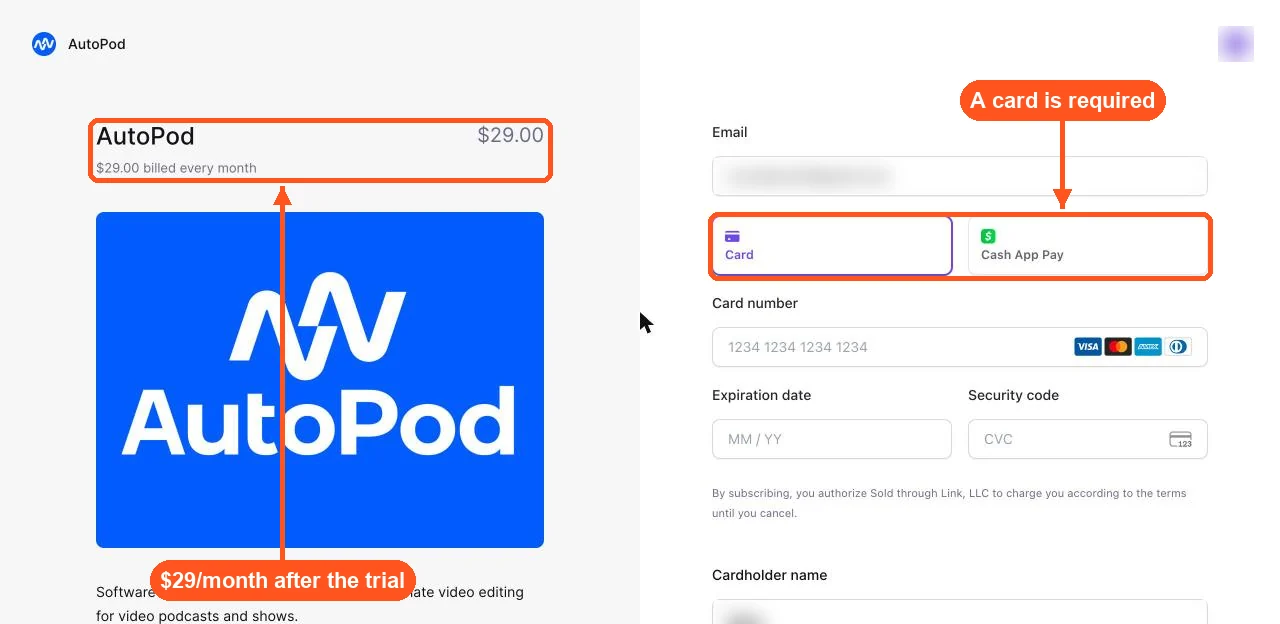
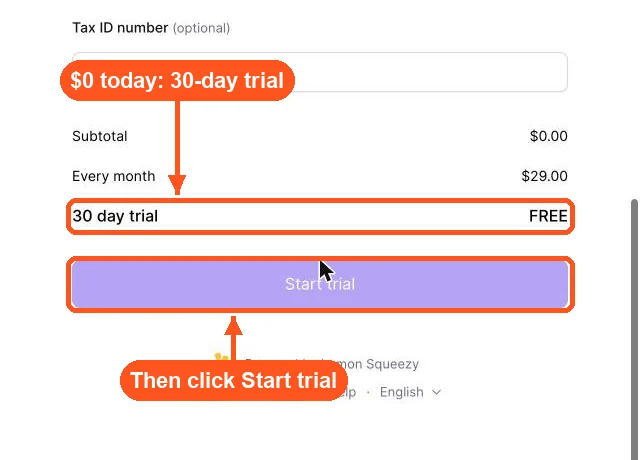
At the bottom, the summary shows Subtotal $0.00 and 30 day trial FREE. Click Start trial. You won’t be charged until the trial ends.
Step 3: Download and run the installer
After checkout, AutoPod gives you your license key and the installer. Check the email you used at checkout and keep the key somewhere safe. Download the installer for your system (Mac or Windows) and run it.
Step 4: Open AutoPod in Premiere Pro
When the installer finishes:
- Close Adobe Premiere Pro completely and open it again.
- Open a project. Don’t stay on the start screen, or the extensions won’t appear.
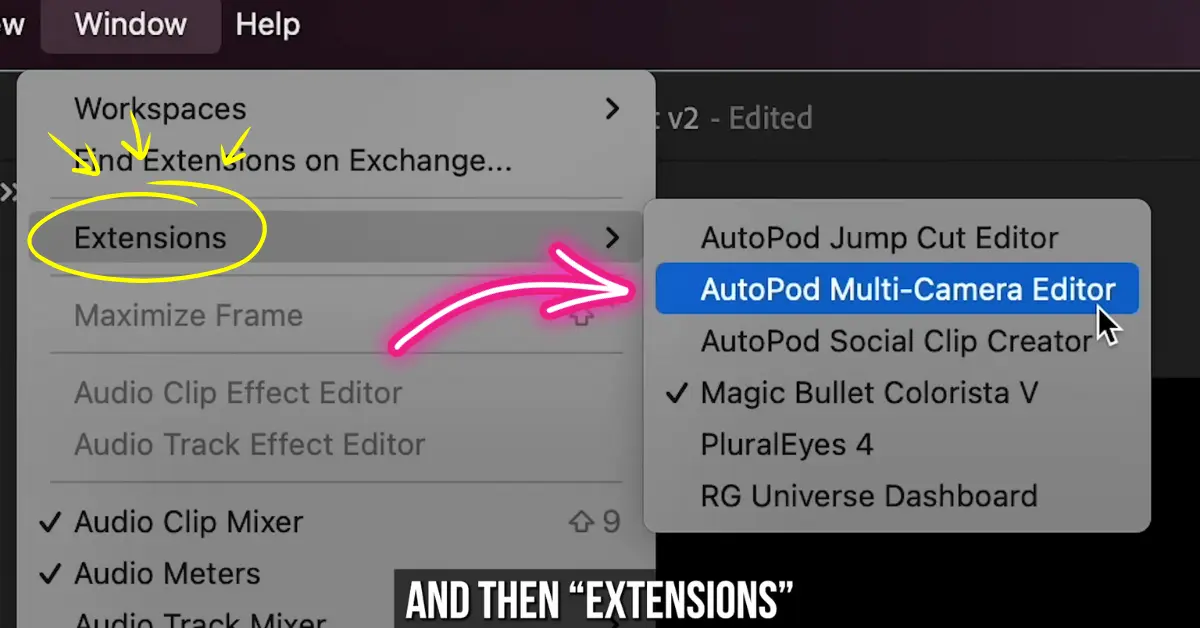
- Go to Window > Extensions and click the AutoPod tool you want: Multi-Camera Editor, Jump Cut Editor or Social Clip Creator.
Step 5: Log in with your license key
The first time you open an AutoPod panel, enter the email you used at checkout and your license key, then click Login. That computer is now activated.

Next: learn the tools in how to use AutoPod, or see automatic multicam editing with AutoPod.
How to download AutoPod for DaVinci Resolve
AutoPod for DaVinci Resolve uses the same license key. You don’t need a second purchase.
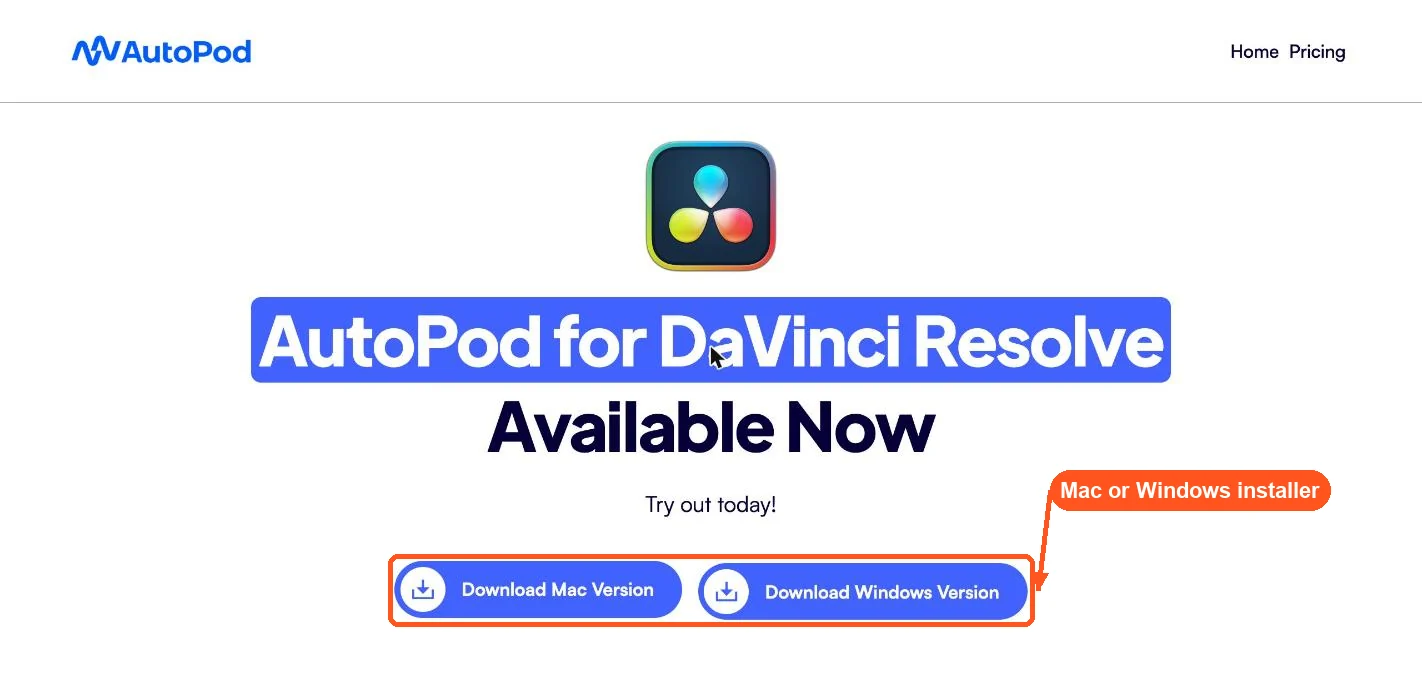
- Open autopod.fm/davinci-resolve and click Download Mac Version or Download Windows Version.
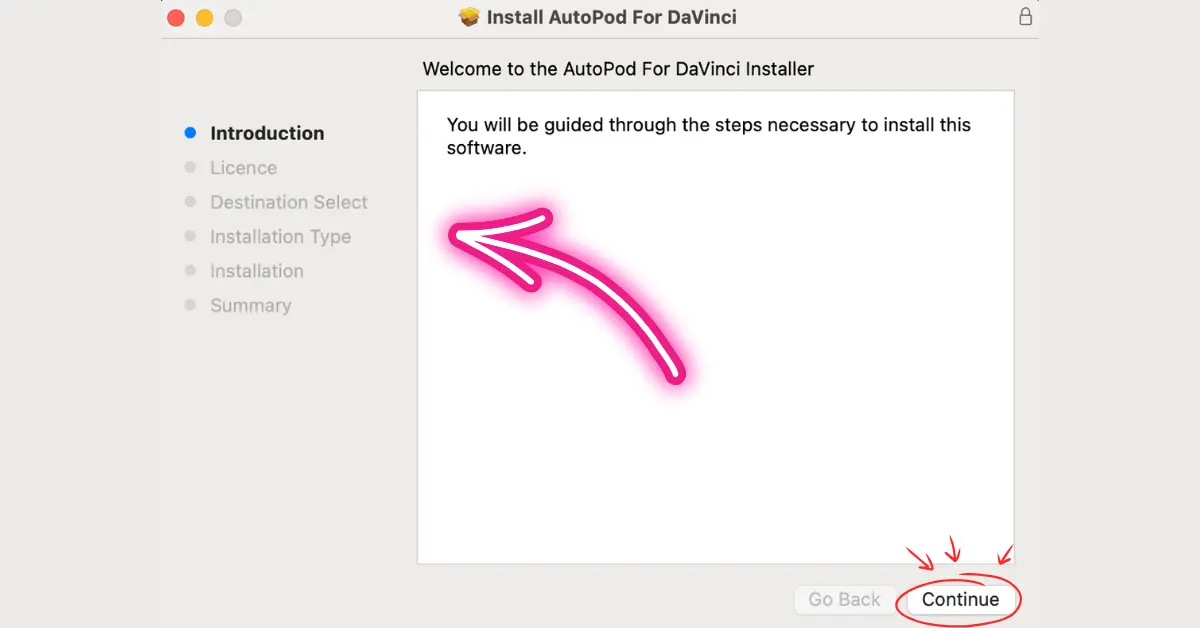
- Run the installer and click Continue through the steps.
- Open DaVinci Resolve or Resolve Studio and go to Workspaces > Scripts to launch AutoPod.
Using the free DaVinci Resolve? AutoPod works on every version of Resolve Studio, but on the free Resolve it only runs on 19.0.3 or earlier. Resolve 19.1 stopped scripts from running in the free version.
More details: AutoPod for DaVinci Resolve.
macOS 27 or newer? Install the bug fix
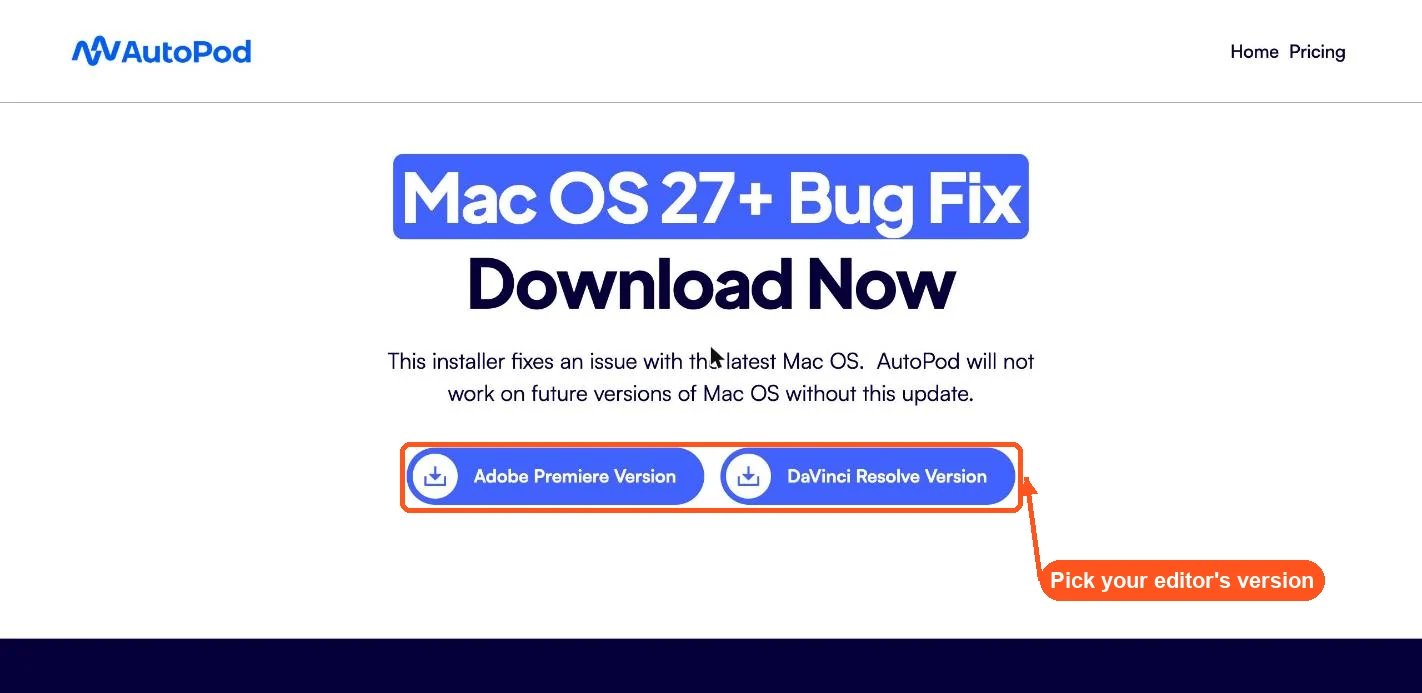
AutoPod published an updated installer for macOS 27+. Without it, AutoPod won’t work on newer versions of macOS. Open autopod.fm/mac-os-27-bug-fix and download the version for your editor.
Moving AutoPod to a new computer
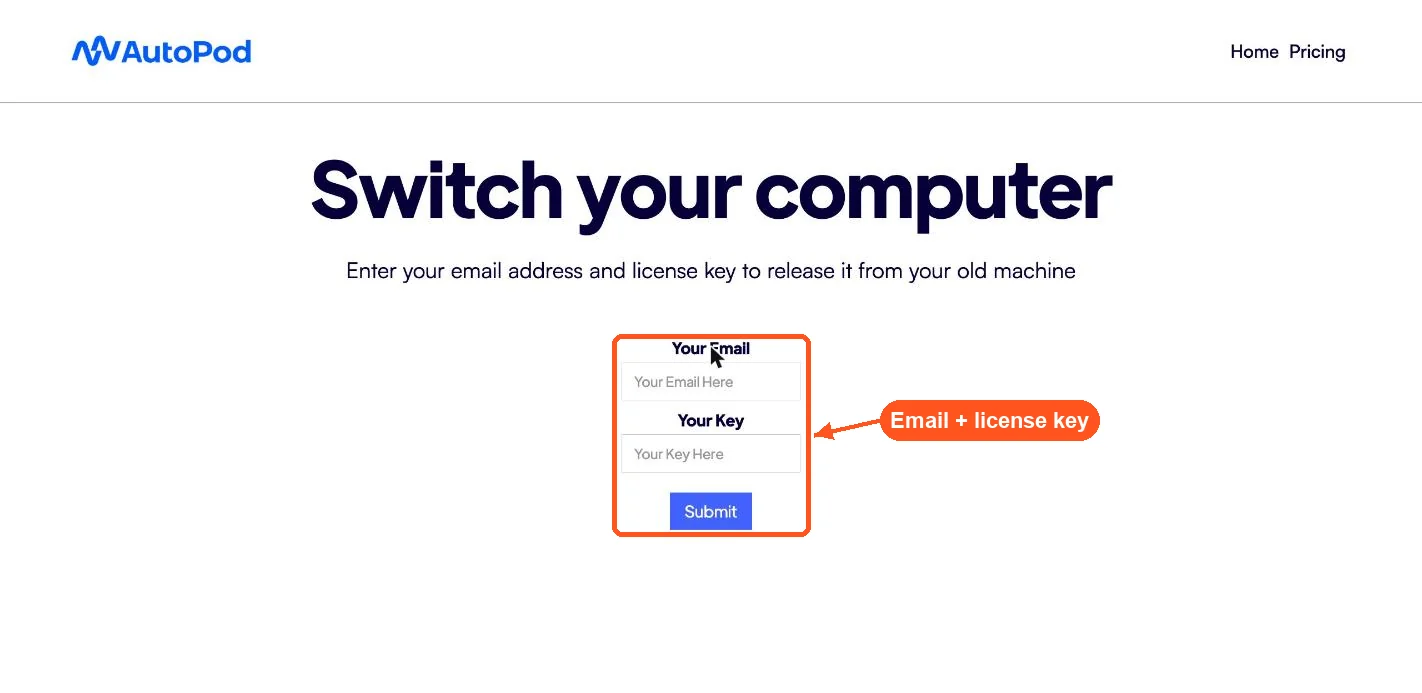
Each license works on one computer, the first one where you activate the key. To move it, open autopod.fm/switch-computers, enter your email and license key, and click Submit. Then install AutoPod on the new computer and log in again.
Managing or cancelling your trial
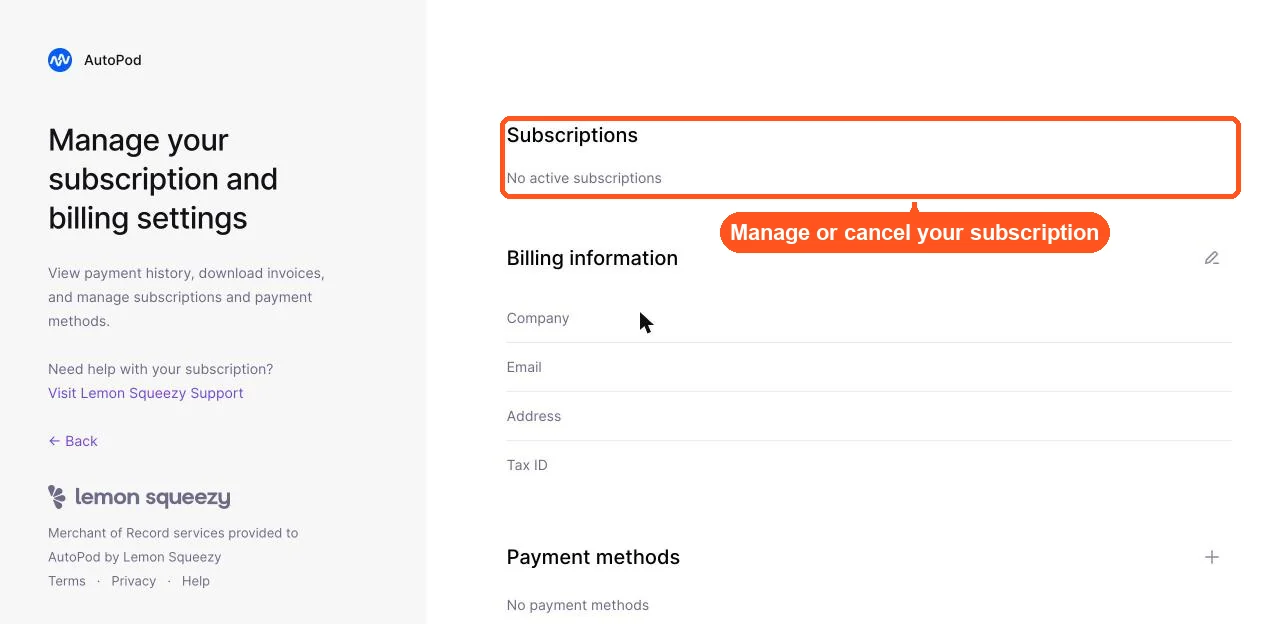
To cancel before you’re charged, or to update your card, use AutoPod’s Manage Active Subscriptions link (it opens the Lemon Squeezy billing page). Step-by-step: how to cancel your AutoPod subscription.
Why you shouldn’t download a cracked AutoPod
Searches for “AutoPod crack” or “AutoPod free download” lead to unofficial files. Here’s why to skip them:
- Malware risk: cracked plugins and installers are a common way to spread malware and steal passwords.
- No updates: you miss fixes like the macOS 27 installer, so the plugin stops working.
- License problems: AutoPod is licensed per computer; cracked copies break its terms.
- No support: official users can email support@autopod.fm; cracked users can’t.
The free trial gives you the real tool for 30 days, which is enough to edit several episodes. Start the free trial here.
AutoPod not showing up? Quick fixes
| Problem | Fix |
|---|---|
| No AutoPod under Window > Extensions | Restart Premiere after installing and open a project, not just the start screen. Check you’re on Premiere Pro 2023 or newer. |
| AutoPod stopped working on a Mac | Install the macOS 27+ fix from autopod.fm/mac-os-27-bug-fix. |
| Scripts missing in DaVinci Resolve (free) | The free Resolve only supports AutoPod up to 19.0.3. Use Resolve Studio or that version. |
| “License already in use” | Release it on the Switch Computers page, then log in on the new computer. |
| Multicam edit looks wrong | AutoPod needs a separate audio track for each speaker. See common AutoPod problems. |
FAQ
Is there a free AutoPod download?
There’s no free version, but AutoPod’s monthly plan starts with a 30-day free trial. Checkout shows $0 today, then $29/month unless you cancel before the trial ends. A card is required to start the trial.
Where can I download AutoPod safely?
Only from the official AutoPod site (autopod.fm) after starting a trial or subscription. The DaVinci Resolve installers are on autopod.fm/davinci-resolve, and the macOS 27+ fix is on autopod.fm/mac-os-27-bug-fix. Avoid “free download” and “crack” sites.
Does AutoPod work on Windows and Mac?
Yes. AutoPod has Mac and Windows installers for Premiere Pro and for DaVinci Resolve.
Which Premiere Pro version does AutoPod need?
Adobe Premiere Pro 2023 or newer. If your computer can run that version of Premiere, it can run AutoPod.
Does AutoPod work with DaVinci Resolve Free?
It works with all versions of DaVinci Resolve Studio. On the free version of Resolve, it only works on Resolve 19.0.3 or earlier, because Resolve 19.1 stopped scripts from running in the free version.
Can I use one AutoPod license on two computers?
No. Each license works on one computer, the first one it’s activated on. To move it, release it on AutoPod’s Switch Computers page with your email and license key.
Does AutoPod work with Final Cut Pro or Avid?
No. AutoPod’s official FAQ says there are no plans to add Final Cut Pro, Avid or other editors.
Is a cracked AutoPod plugin safe?
No. Cracked plugins are a common way to spread malware, they don’t get updates (like the macOS 27 fix), and they break AutoPod’s license terms. The 30-day free trial is the safe way to try it.
Final thoughts
The only safe AutoPod download is the official one from autopod.fm. Start the 30-day trial, run the installer, then open AutoPod from Window > Extensions in Premiere Pro or Workspaces > Scripts in DaVinci Resolve. Compare it with alternatives in AutoPod vs AutoCut, or start the free trial.

Sonu is a passionate blogger who reviews the latest AI tools. With a focus on providing insightful and unbiased reviews, Sonu helps readers navigate the evolving world of artificial intelligence.